





Skip to content
Our difference

We are on a mission to deliver innovative business transforming technology solutions that exceed our customers’ expectations.

Our culture

Our values guide us in everything we do and help shape our culture and customer approach. Find out more about our values and meet some of our team.
 

Our Microsoft Partnership

As a Microsoft Solutions Partner, we’ve been at the centre of the revolutionary changes that technology has brought to every aspect of life and we continue to stand by their side at the centre of tomorrow’s digital transformations.

Microsoft Solutions Partner

Meet the Executive Team

Meet the leaders driving innovation and excellence at Core – get to know our Executive Team.
 

Our partners

We have successfully built relationships with multiple partners that prepare businesses for the future.
 

Carbon management

We understand our environmental responsibilities as a UK business and IT Managed Service Provider, and we understand how important it is for our customers to partner with responsible providers.
 

Thinking of working at Core?

At Core, we love to work with people who share our passion and motivation for business growth and success.

We believe in fostering a culture where our team members can thrive, and make a meaningful impact, and value integrity, innovation, and excellence. Core is also a leading UK Microsoft Solutions Partner in delivering IT service excellence. 

Our team is made up of a diverse group of people from all around the world, and we all have one thing in common: we’re passionate about providing our customers with outstanding solutions.

If you’re ready to make an impact, grow your career, and work with a passionate and inclusive team driving business growth, we’d love to talk to you.

Interactive Microsoft workshops

Our workshops are designed to help you realise the value of Microsoft technologies in your business, gain real value from your investment and transform the way you work.

The workshops are a collaborative and immersive experience; our experts will work with you to identify your business objectives and establish the Microsoft technologies to help you achieve them.
 

Request a workshop

Our range of workshops covers every aspect of the modern workplace including productivity, collaboration, identity, security and compliance and communication, with interactive and engaging sessions that bring the art of the possible to life.

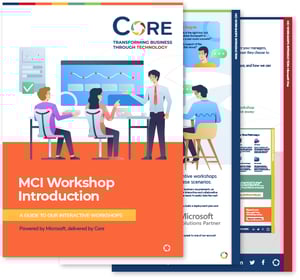
Download our workshop guide

Read more about the interactive workshops we offer, and how they can benefit your business by downloading our guide.

MCI Workshop Introduction

Managed Services

Discover why Core is the first choice for many organisations looking to add flexibility, efficiency, and expertise to their teams.


Cloud Technology

From Microsoft’s leading platforms to bespoke cloud solutions, Core’s range of cloud technology solutions covers everything the modern workplace needs.

Professional Services

Whichever challenges you face on your digital journey, Core's professional services team has a solution to help, from Automation & AI to our innovative Smart Services.

NFP & Membership

Core's IT Solutions for NFP and Membership organisations help you overcome the unique challenges of the sector, so that your members get value from their membership.

Public Sector

Certified secure solution for the public sector, providing a reliable, flexible, secure and affordable IT solution.

Commercial Sector

Certified commercial sector solutions, covering all your commercial needs from financial and legal services, through to manufacturing.

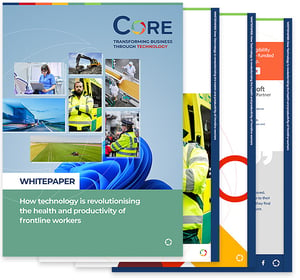
Download our Frontline Workers white paper

Learn how technology can help to balance productivity with wellbeing for Frontline Workers.

White paper: How technology is revolutionising the health and productivity of frontline workers


Why customers choose us

Since we were founded in 1990 and started our Microsoft journey, we have supported over 10,000 customers on their communications and collaboration projects, and with the introduction of Microsoft's cloud technology, have grown our capabilities significantly across Microsoft 365 and Azure.

What sets us apart is a talented and passionate team who truly love what they do, demonstrating boundless enthusiasm and dedication in every single project.
 

logo-menu-david-lloyd

"It was apparent from day one that Core had a depth of knowledge in Microsoft 365, which we simply hadn’t found anywhere else."

Greater London Authority

"Core has a lot of experience working with the public sector, which was definitely a benefit."

Angel Trains

"There’s such a good working relationship with Core, it’s like having another permanent person in our organisation."

Talbot

"We had a really good, down to earth relationship with a few of the guys, and they know what they are doing."

Read our latest blog articles

Is Copilot Good? The Benefits No One Tells You About


How to Create a Copilot Agent
Microsoft Copilot vs ChatGPT: What You Need to Know


How to Implement Identity and Access Management in 2026
The Core knowledge hub

Stay up-to-date with the latest insights, trends, and discussions from Core's team of subject matter experts through our blog topics, news articles and downloadable resources.


Major SharePoint Updates in 2026
Anthony TeteJan 21, 2026 1:26:13 PM4 min read

Major SharePoint Online Changes Are Coming in 2026

Major SharePoint Online Changes Are Coming in 2026
5:32

If your organisation is still running classic SharePoint publishing sites, this is one update you really shouldn’t ignore. 

Between 15 September 2025 and 15 March 2026, Microsoft is rolling out significant changes to SharePoint Online. Nothing is being switched off overnight — but Microsoft is making it very clear that the future of SharePoint is modern. 

Let’s break down what’s changing, why Microsoft is doing it, and what IT teams should be doing now to stay ahead of the curve. 

sharepoint-news-post-hero

What’s changing in SharePoint Online?

1. Custom scripting will be disabled on classic publishing sites

From 15 September 2025, Microsoft will begin disabling custom scripting by default on all classic publishing site collections. 

In practical terms, this means: 

  • DenyAddAndCustomizePages will be set to True 
  • You won’t be able to add new scripts using Script Editor or Content Editor web parts 
  • Existing scripts already embedded will continue to work (for now) 
  • New customisations, master pages, or page layouts won’t be possible without temporarily re-enabling scripting 

Classic sites won’t break — but they’ll become far more static. 

2. You won’t be able to create new classic publishing sites

That means: 

  • No new Publishing Portals or Publishing Sites 
  • No Enterprise Wikis or classic Search Centres 
  • Publishing features can’t be activated on modern sites anymore 
  • Attempts to create classic publishing templates via UI, API, or PowerShell will be blocked by default 

3. Property bags can now be managed without enabling scripts

There is one genuinely helpful change. 

Microsoft is introducing a new setting that allows admins to update site property bags without turning custom scripting back on: 

AllowWebPropertyBagUpdateWhenDenyAddAndCustomizePagesIsEnabled 

This can be configured at tenant or site level and means admins can safely manage metadata via PowerShell without opening the door to unrestricted scripts. It’s a small but important improvement in governance. 

4. Temporary PowerShell opt-outs (until March 2026)

Microsoft knows not everyone can modernise overnight, so there’s a grace period. 

Between September 2025 and 15 March 2026, tenant admins can use PowerShell to: 

  • Delay script disablement tenant-wide 
  • Temporarily re-enable scripting on a specific site (for 24 hours) 
  • Allow creation of new classic publishing sites if absolutely necessary 

The key thing to note: The tenant-wide delay expires on 15 March 2026. After that, there’s no extension.


What’s not changing (yet)

Let’s clear up a common concern. 

  • Existing classic publishing sites are not being deleted 
  • They will continue to work as they do today 
  • Subsites can still be created under existing publishing site collections 

However, these sites are now effectively isolated. You can keep them running, but you can’t grow them, and long-term support is clearly winding down. 

Think of this as Microsoft putting classic SharePoint into maintenance mode.

Why is Microsoft doing this?


Security first

Custom scripting has long been a security headache. Ungoverned JavaScript can introduce vulnerabilities, performance issues, and compliance risks. Disabling it by default aligns with Microsoft’s wider M365 security strategy.

Modern SharePoint is easier (and better supported)

Modern sites are responsive, mobile-friendly, faster, and far easier for users to maintain. Many things that once required custom code now come out of the box.

Less technical debt

Classic publishing is legacy technology. Maintaining it adds complexity and risk — both for Microsoft and customers. Retiring it allows focus on modern, cloud-first capabilities.

A more consistent user experience

Mixing classic and modern SharePoint creates confusion. Microsoft wants one consistent experience that integrates cleanly with Teams, Viva, and the rest of Microsoft 365. 

The message is clear: modern SharePoint isn’t optional anymore. 

What does this mean for IT admins?

If you’re responsible for SharePoint, this change has real implications. 

  • Customisations on classic sites will be frozen 
  • New classic publishing sites won’t be an option 
  • Admins will need to manage temporary opt-outs carefully 
  • Users may be confused when familiar options disappear 

Most importantly, doing nothing is no longer a viable strategy.
 

What should you be doing now?


1. Audit your classic SharePoint estate

Identify: 

  • All classic publishing sites 
  • Any custom scripts, layouts, or legacy components 
  • Business-critical functionality 

Microsoft’s Modernization Scanner is extremely helpful here. 

2. Talk to site owners early

Explain: 

  • What’s changing 
  • What will stop working 
  • Why modern SharePoint is the long-term answer 

Clear communication now avoids panic later.

3. Plan modern replacements

Some sites will migrate easily. Others may need: 

  • Modern communication sites 
  • SPFx web parts 
  • Power Apps or Power Automate flows 

Prioritise business-critical areas first. 

4. Use opt-outs sparingly

The PowerShell delays are a safety net — not a solution. 

If you rely on them, make sure there’s a clear exit plan before March 2026. 

5. Invest in modern SharePoint adoption 

Run pilots. Train users. Show them what modern SharePoint can do. 

Most resistance disappears once people see: 

  • Cleaner layouts 
  • Easier editing 
  • Better mobile experience 
  • Fewer “IT-only” dependencies